 Materialistv0.4.1
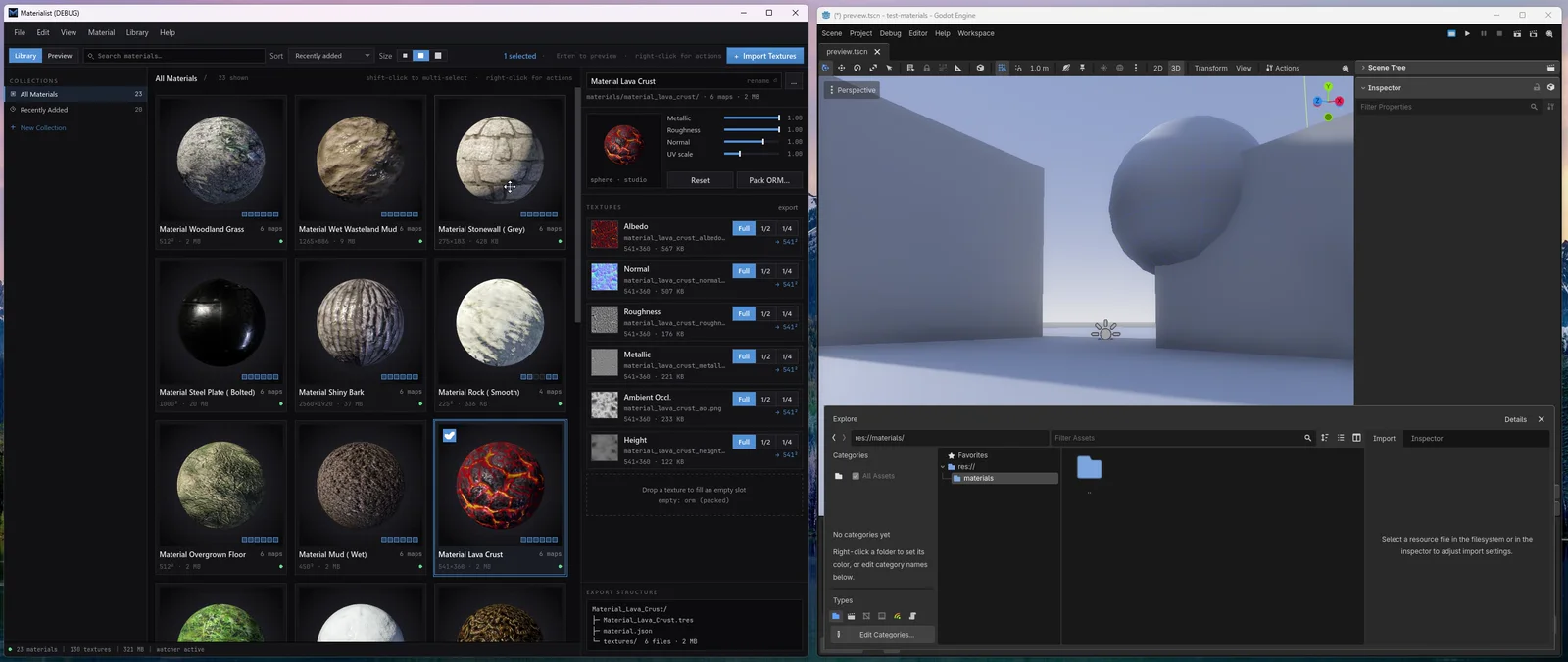
A better home for your materials.
Drop in your PBR textures. Materialist detects the maps, builds the material, and gives you a real-time preview.
When you are happy with it, drag it into Godot. Materialist creates the textures, folders, and StandardMaterial for you.
Drop in your textures. Get a material.
Drag in a set of PBR maps and Materialist detects the albedo, normal, roughness, metallic, AO and height textures, then builds the material and renders it. No manually assigning every image just to see what you downloaded.
If it is named like a normal map, Materialist treats it like one.
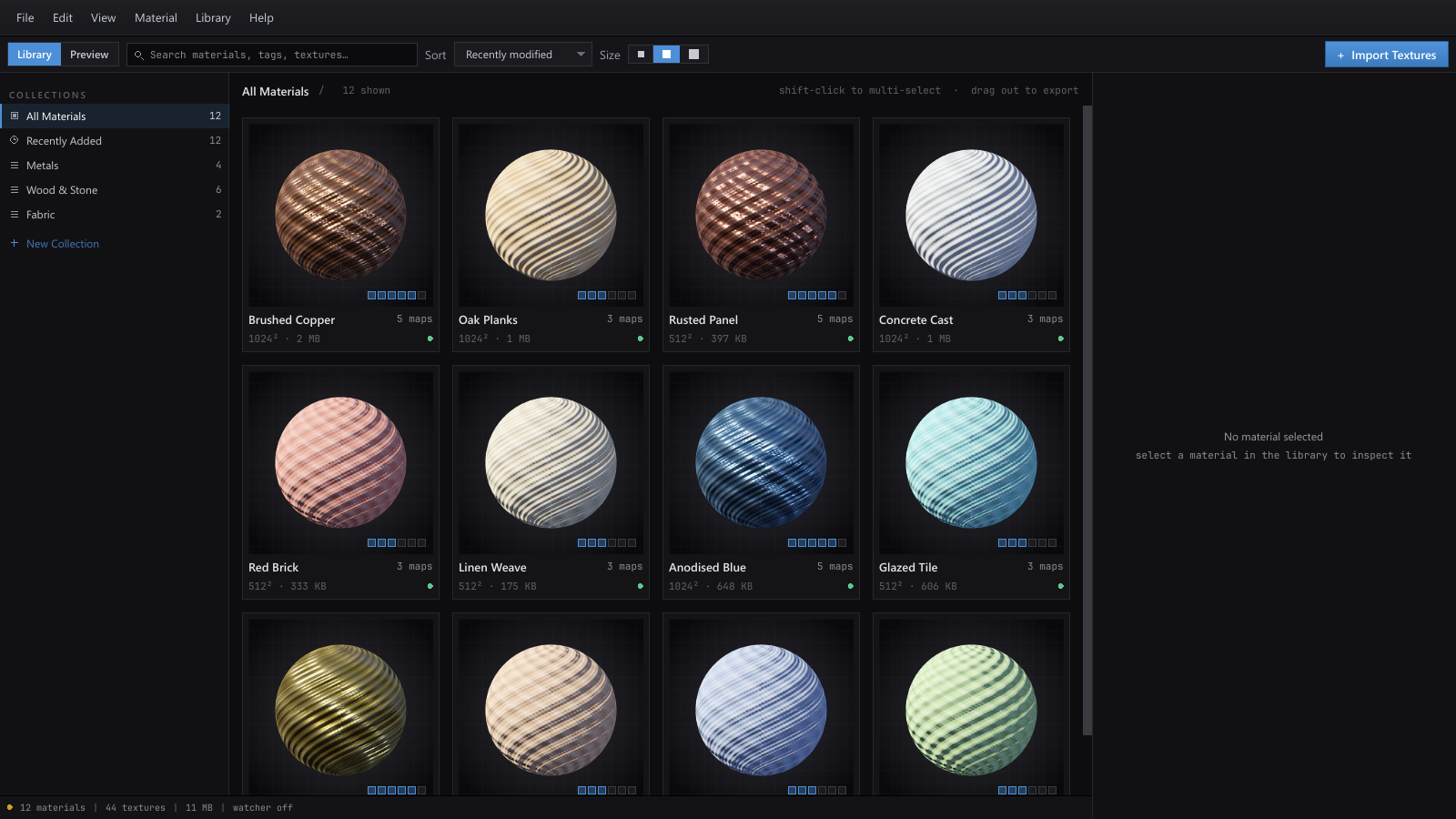
Keep materials outside your projects.
Your materials do not need to live in whichever project you happened to download them for. Keep one local library - rename things, preview them, organize them, and pull them into projects when you actually need them.
Rename a material and its texture files stay named with it - no more folders full of concrete_04_final_2k_roughness.jpg that you forgot existed.
One material library. Any project.
Test materials in a scene.
Open Preview Mode and drag materials directly onto surfaces. Try different combinations and lighting conditions without cluttering up your actual game project.
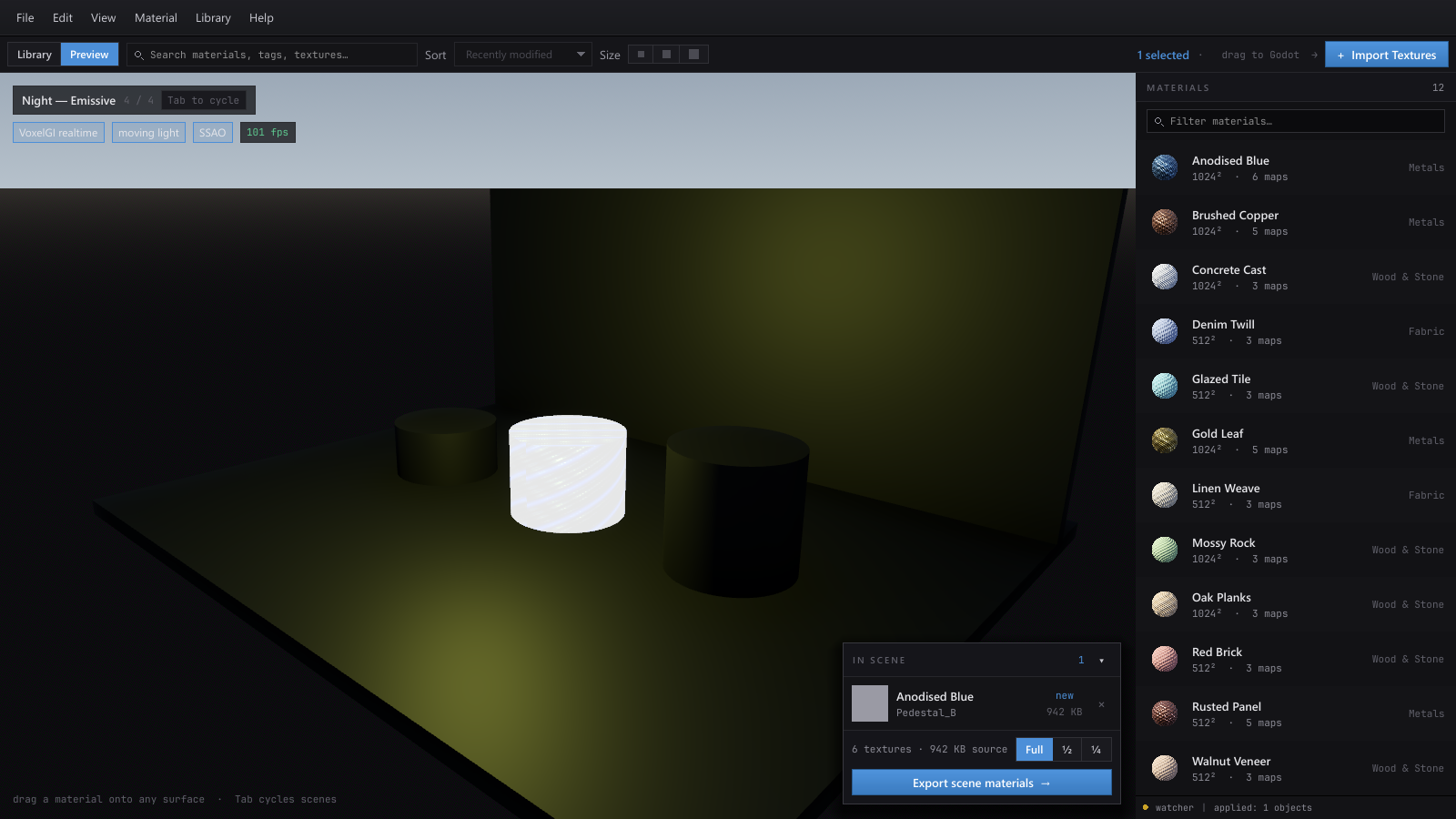
Studio
neutral shapes, even light - read the material on its own
Hallway
floors and walls together, indoor bounce light
Exterior
hard sun, long shadows, moving light
Night - Emissive
where roughness and emission actually show up
Build the look before the level.
Use the preview scenes as a little material playground. Drag materials onto floors, walls and props, see how they work together under real-time lighting, and when you land on a combination you like, export the group into your project.
four scenes - Tab to cycle
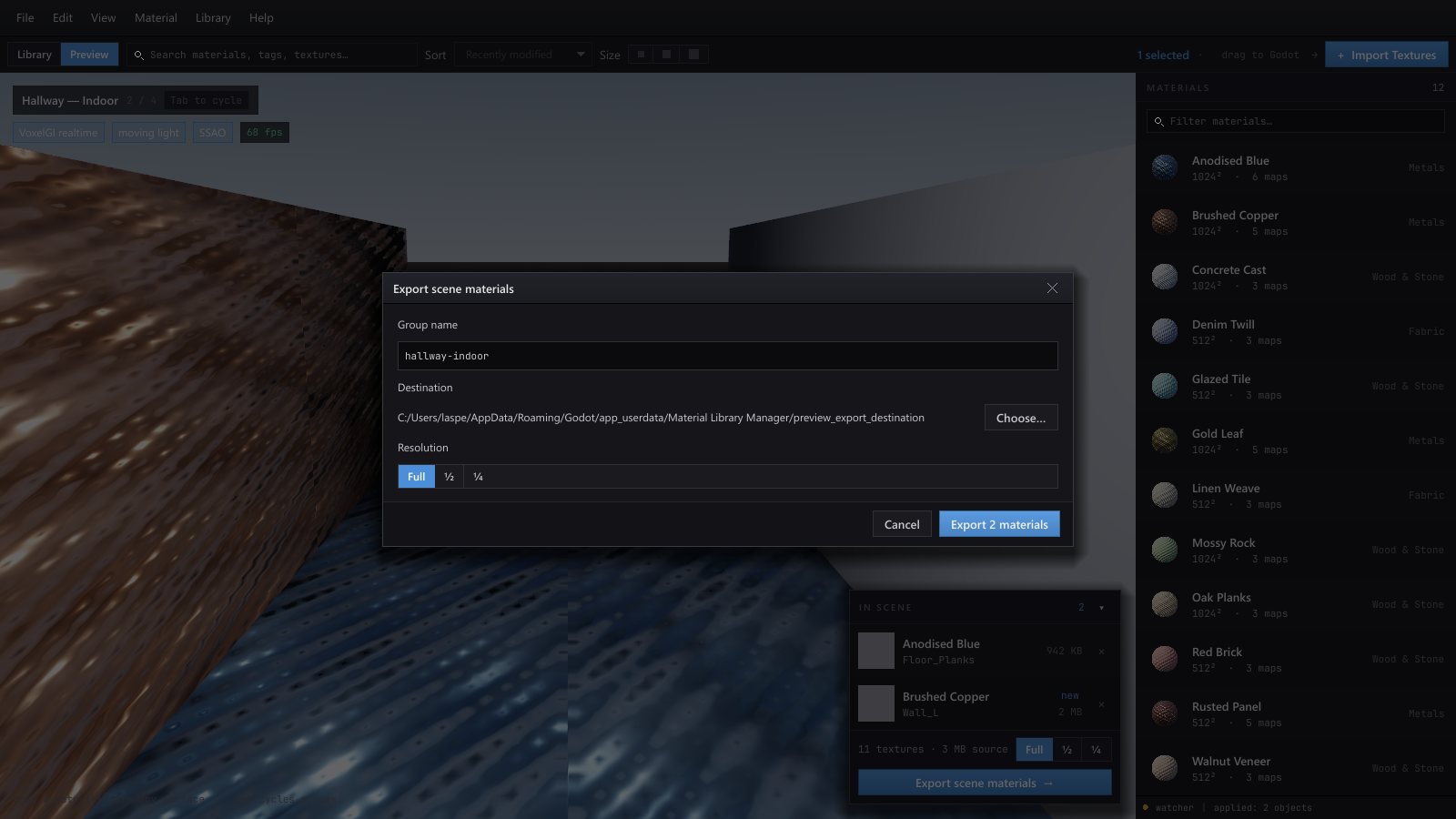
Drag it straight into Godot.
When you find something you like, drag it into your project. Materialist creates the folder structure, copies the textures, and generates a configured StandardMaterial for you.
Want a packed Occlusion / Roughness / Metallic texture instead? Export it that way and Materialist handles the packing.
Made for Godot.
First-class Godot export, including drag-and-drop project export and generated StandardMaterials.
•Unity support is next.
Same library, same drag, different engine. In progress.
No more material mess.
No more material stress.
Material folders have a way of becoming a graveyard. Downloads get scattered between projects. Texture names change. Maps need to be wired up just to preview them. Materials get imported before you even know whether you want them.
Materialist gives them somewhere to live first.
Your library stays on your computer.
Materialist is not a cloud material service. Your library lives locally on your machine, where your actual work is. Import it once, keep it organized, use it across projects.
No login required inside the app.
Materialist is $5.
One small purchase gets you the app and access to downloads. No subscription. No giant pricing table. It is just five bucks.